

NT Scan to PDF – PDF Tools
Scan documents to PDF with OCR, editing, and powerful PDF tools.


NT Scan to PDF is a fast and easy-to-use document scanner that lets you create high-quality PDF files from photos or your device’s camera.
Key Features:
- Scan documents with your camera or import images from your gallery.
- Automatically detect document edges, crop, rotate, and enhance pages.
- Extract text with OCR and create searchable PDF documents.
- Export one or multiple pages as high-quality PDF files.
- Sign PDF documents with your handwritten signature.
- Add logos or stamps to PDF files.
- Lock or unlock PDF files with passwords.
- Compress PDF files to reduce file size.
- Organize pages before exporting.
- Save and share PDFs instantly.
Built-in Quick Tools:
- Searchable PDF
- Compress PDF
- Extract Text (OCR)
- Sign PDF
- Add Logo
- Password Protect / Unlock PDF
NT Scan to PDF processes everything directly on your device to keep your documents private while delivering fast and reliable performance for work, study, and everyday document management.
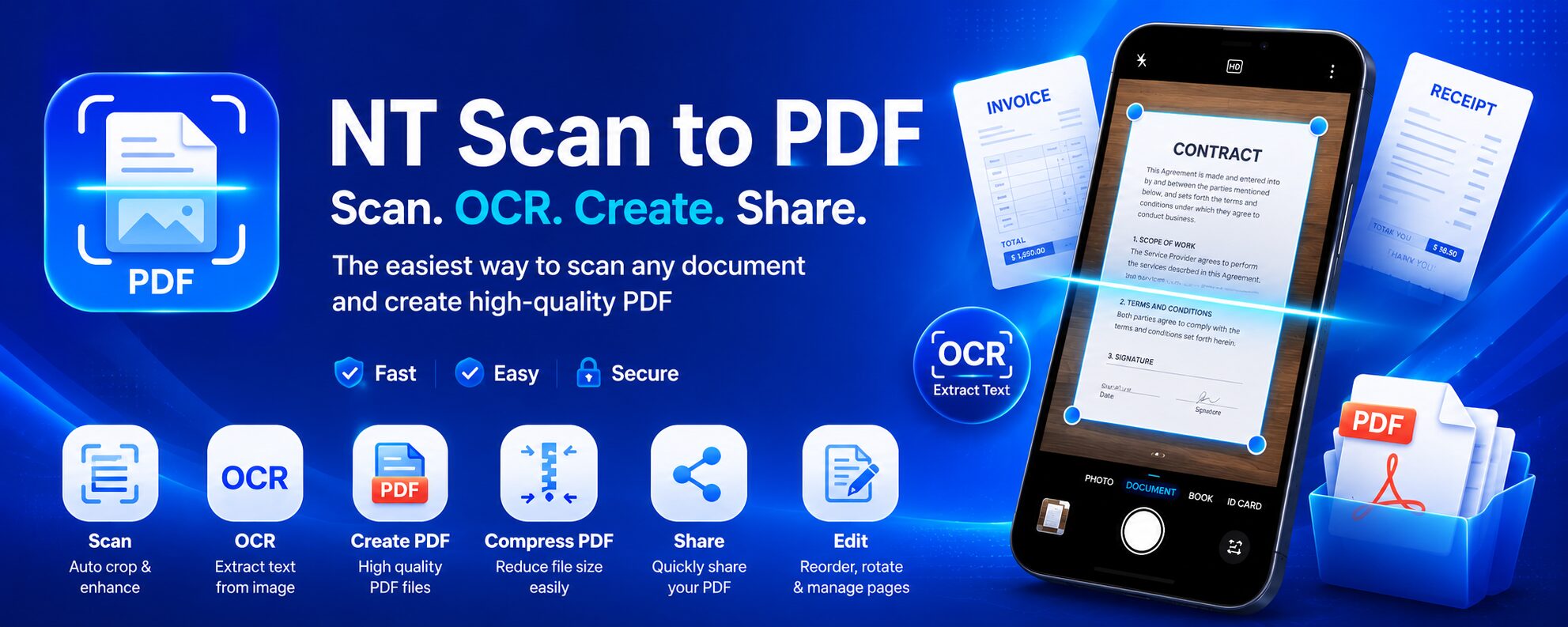
NT Scan to PDF is an easy-to-use document scanner app that transforms your Android phone into a portable PDF scanner. Capture documents with your camera, enhance image quality, extract text with OCR, and create high-quality PDF files in just a few taps.
Whether you’re a student, professional, teacher, or business owner, NT Scan to PDF helps you digitize paper documents quickly and efficiently.
Scan Documents with Your Phone Camera
Forget bulky scanners. NT Scan to PDF uses your Android device’s camera to scan documents anytime, anywhere.
The app automatically detects document edges and lets you adjust the crop manually for the best results. Perspective correction ensures your scanned pages look clean and professional.
Perfect for scanning:
- Contracts
- Invoices
- Receipts
- Business documents
- Notes
- Books
- Homework
- Certificates
- ID documents
OCR Text Recognition
NT Scan to PDF includes built-in Optical Character Recognition (OCR), allowing you to extract text from scanned documents and images.
With OCR, you can:
- Copy text instantly
- Edit recognized content
- Search within scanned documents
- Create searchable PDF files
OCR makes it easy to digitize printed documents without retyping everything manually.
Enhance Document Quality
Before exporting your document, you can improve its appearance using powerful editing tools.
Features include:
- Auto edge detection
- Manual crop adjustment
- Rotate pages
- Brightness and contrast optimization
- Grayscale filter
- Black & White filter
- Automatic image enhancement
These tools help create cleaner, sharper, and more readable PDF documents.
Create Multi-Page PDF Files
Combine multiple scanned pages into a single PDF document.
You can:
- Add new pages
- Remove unwanted pages
- Reorder pages
- Preview the final document before exporting
This is ideal for contracts, reports, lecture notes, books, and other multi-page documents.
Share PDFs Anywhere
Once your PDF is ready, sharing is simple.
Export your files and send them via:
- Messaging apps
- Cloud storage services
- File sharing platforms
Your documents remain high quality while being easy to distribute.
Fast and Optimized for Android
NT Scan to PDF is designed for speed and simplicity.
The app delivers a smooth scanning experience with quick document processing, responsive editing tools, and fast PDF generation across a wide range of Android devices.
Whether you’re scanning one page or dozens, the workflow remains efficient and intuitive.
Privacy First
Your privacy matters.
NT Scan to PDF is designed to process supported tasks directly on your device whenever possible, helping reduce unnecessary data transmission and giving you greater control over your documents.
Why Choose NT Scan to PDF?
NT Scan to PDF is a complete document scanning solution that combines scanning, editing, OCR, and PDF creation in one lightweight Android app.
It’s ideal for:
- Scanning documents to PDF
- Digitizing paper records
- Creating searchable PDFs
- Organizing paperwork
- Sharing professional-quality documents
- Working on the go
If you only need to convert a few images into a PDF without installing an app, you can also use the online Scan to PDF tool available on the NT Core website. For users who scan documents regularly and need advanced features, NT Scan to PDF provides a faster, more powerful, and more convenient experience.